

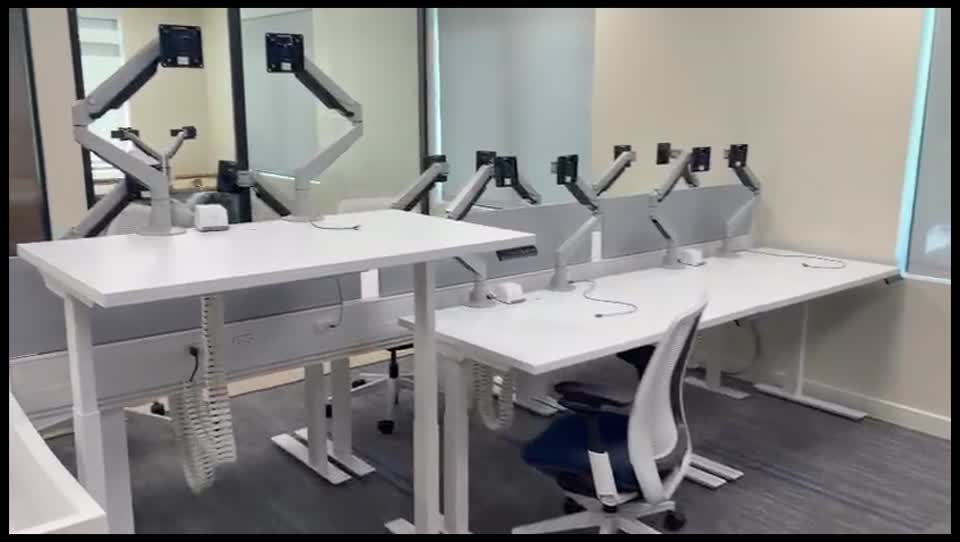
Illustrative Caribbean office desk with a business email workstation and security key

Protect the message. The identity. The data.

Advanced Email &
Microsoft 365 Security

Strengthen the systems your team uses every day. MicroAntix aligns email protection, identity controls and collaboration settings around your business workflows.

A coordinated security baseline

Secure communication without losing the way you work.

Email attacks do not stop at the inbox. A convincing message can lead to a compromised account, a fraudulent payment instruction or access to shared files. We review the complete path from message delivery to sign-in and data sharing, then prioritize changes with your organization.

The message

Reduce exposure to deceptive content.

Review anti-phishing and anti-spoofing settings, supported link and attachment protection, quarantine handling and user-reporting workflows. Controls are selected around the mail platform and available licences.

The identity

Make access harder to misuse.

Review multifactor authentication, administrator privileges, account recovery and supported access policies. Joiner and leaver procedures help ensure that account access follows current business responsibilities.

The data

Keep collaboration within agreed boundaries.

Review sharing links, external guests, sensitive information and retention requirements. Teams, SharePoint and OneDrive settings should support authorized collaboration without leaving access unmanaged.

Microsoft 365 security services

Practical controls, configured for your tenant.

Defender for Office 365 and mail-flow controls

Where licensed, Microsoft Defender for Office 365 can add Safe Links, Safe Attachments and anti-phishing capabilities. We review the available plan, configure applicable policies and check how users report, review and release messages. Advanced investigation and automation depend on the selected licence.

  • Review protected users, domains and impersonation settings
  • Configure supported URL and attachment policies
  • Manage quarantine permissions and notification settings
  • Investigate delivery problems without weakening the entire policy

Microsoft Entra ID and account governance

We assess how employees, guests and administrators sign in, then strengthen authentication and privilege management. Conditional Access and other advanced controls are introduced only with the appropriate licensing and a tested rollout that protects legitimate access.

  • Multifactor authentication enrolment and recovery planning
  • Separate administrative accounts and least-privilege roles
  • Review stale accounts, guest access and risky exceptions
  • Test access-policy changes and emergency administration procedures

Protect shared work beyond the mailbox

We review Teams, SharePoint and OneDrive sharing against the way staff exchange information. Where in scope and licensed, Microsoft Purview and Intune can support information protection, data-loss prevention and managed-device policies. Requirements are confirmed before promising a specific feature.

  • Guest and external-sharing settings
  • Sensitive-information handling and appropriate retention
  • Supported device compliance and access requirements
  • Policy ownership and review of business exceptions

Microsoft features vary by subscription and configuration. Review Microsoft Defender for Office 365 capabilities.

Domain authentication

Make legitimate senders easier to distinguish.

SPF, DKIM and DMARC work together to help receiving systems evaluate mail that uses your domain. We first identify approved services, such as Microsoft 365, website forms, invoicing platforms and marketing systems, so protective changes do not unexpectedly disrupt business mail.

Domain authentication does not prevent every lookalike-domain attack or message sent from a compromised legitimate account. It belongs alongside filtering, identity protection and staff verification procedures.

SPF

Review which systems are authorized to send using the domain and consolidate the record carefully, accounting for the services actually in use.

DKIM

Enable supported signing for approved mail services and verify that the necessary DNS records and sending configuration are aligned.

DMARC

Use reporting to understand authentication results, correct legitimate senders and move toward an appropriate enforcement policy through a controlled rollout.

Assessment to ongoing care

Make security changes with operational discipline.

  1. 01

    Assess

    Review tenant configuration, licences, mail flow, users, administrators and critical integrations. Document the most important risks and distinguish quick improvements from changes that require preparation.

  2. 02

    Prioritize

    Agree a realistic baseline and rollout plan. Consider user communication, recovery arrangements, service accounts and dependencies before applying more restrictive settings.

  3. 03

    Implement

    Configure and test approved policies, update domain records and support user enrolment. Keep a record of changes and resolve delivery or access issues through controlled exceptions.

  4. 04

    Maintain

    Review important alerts, configuration changes, user access and unresolved actions according to the service agreement. Use reporting to guide improvements rather than treating a security score as proof of safety.

Business email compromise

Protect the decisions behind the message.

A request to change bank details, share payroll information or reset an executive account needs a verification process beyond email appearance. We help align technical protection with practical reporting and escalation, including a known channel for checking unusual instructions.

Security awareness training reinforces those habits with role-relevant examples and safe practice.

Connected support

Resolve incidents across email and devices.

When suspicious activity affects an account or workstation, endpoint detection and managed response can complement tenant investigation. We define responsibility for account containment, device checks and recovery so the customer understands what is included and where specialist assistance may be needed.

Backup, legal advice, regulatory assessment and specialist incident response are separately scoped when required. No configuration can guarantee that every threat will be prevented.

Common questions

Before we begin.

Clear scope, practical expectations and a service designed around your organization.

Does Microsoft 365 already include email security?

Microsoft 365 includes baseline protections, but advanced capabilities vary by subscription and configuration. We assess your licences and tenant settings before recommending Defender for Office 365, identity controls or other services. Purchasing a licence alone does not complete the configuration.

Can you reduce phishing and impersonation attempts?

We can configure supported anti-phishing controls, domain authentication, reporting workflows and user education. These measures reduce risk, but no filter blocks every deceptive message. Payment and sensitive-data requests still need independent verification procedures.

Will stricter filtering block legitimate mail?

It can if deployed without considering normal business traffic. We review senders and mail flows, pilot changes where appropriate and monitor quarantine and delivery issues. Exceptions should be narrow and documented rather than broad allow rules.

Can you secure an existing Microsoft 365 tenant?

Yes. We review the existing environment, identify priority gaps and plan changes around user access and business dependencies. Identity, email, collaboration and device controls are considered together where they are in scope.

Is Microsoft 365 backup included?

Backup is a separate service decision. Retention, recycle bins and security controls are not automatically equivalent to an independent backup and recovery plan. We can assess recovery requirements and propose appropriate backup services separately.

British Virgin Islands

Local delivery. Connected support.

BVI businesses regularly exchange invoices, guest details, professional documents and supplier instructions by email. We design controls around those real workflows, including remote staff, shared mailboxes and external collaboration, so stronger protection does not rely on staff making every security decision alone.

MicroAntix coordinates discovery, implementation and ongoing assistance around your operating hours, site access and agreed support arrangements. For multi-island work, travel, equipment availability, connectivity and maintenance windows are addressed in the project plan.

Tortola & Road TownVirgin GordaAnegadaJost Van DykeOther BVI islands

Plan your next step

Review your Microsoft 365 security baseline.

We will help identify the right combination of email, identity and collaboration controls for your licences, users and business priorities.