
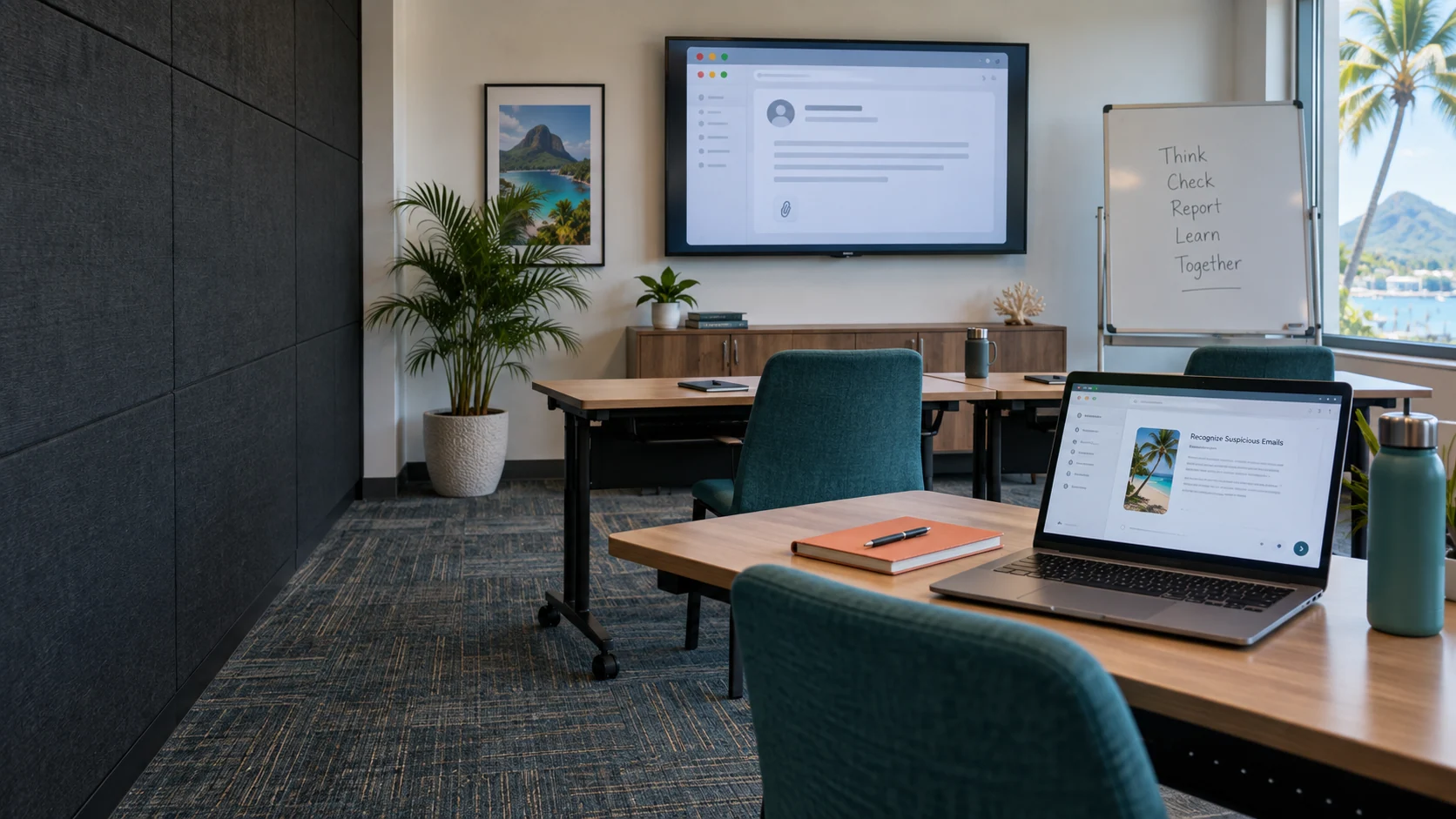
Illustrative Caribbean corporate training room with a laptop and email-awareness lesson

People, practice and safer decisions / BVI

Security Awareness Training

Help your team recognize suspicious requests, protect information and report concerns with confidence. Practical learning built around the work people actually do.

Build confidence, not blame

Make secure behavior part of everyday work.

Staff make dozens of decisions about messages, files, passwords and customer information every day. Security Awareness Training gives those decisions a practical foundation: what to look for, how to verify a request and where to get help.

MicroAntix develops a programme around your organization’s users, policies and reporting routes. Short lessons, relevant examples and recurring practice help translate security expectations into actions that people can remember when work is busy.

Recognize Verify Report Reinforce

The learning programme

Cover the decisions that create real exposure.

Messages & impersonation

Recognize unexpected attachments, deceptive links, urgent requests and sender inconsistencies. Practice verifying payment changes and sensitive requests through a trusted route, including when a message appears to come from a colleague.

Passwords & account access

Understand unique passwords, password managers, multifactor authentication and recovery. Explain why an unexpected approval prompt or request for a verification code deserves attention and how staff should report it.

Information & sharing

Handle customer, employee and business information according to policy. Cover recipients, sharing links, approved storage, device use and the risks of moving work data into unapproved personal tools or AI services.

Devices & remote work

Reinforce locking screens, approved software, updates, secure connectivity and the handling of lost devices. Adapt examples to laptops, mobile devices, shared workstations and people working between locations.

Physical & workplace security

Address visitor verification, unattended equipment, tailgating concerns and conversations that expose confidential information. Staff should know how to raise a concern without confronting someone unsafely.

Reporting & response

Make the reporting route familiar and easy to use. Explain what to do after clicking a suspicious link, disclosing information or noticing an unusual sign-in, emphasizing prompt reporting rather than embarrassment.

Different roles. Relevant examples.

Meet people in the situations they face.

Protect high-impact decisions.

Finance staff and decision-makers are frequent recipients of urgent approval requests and confidential information. Training focuses on independent verification, handling exceptions and recognizing when authority is being used to pressure a decision.

  • Supplier bank-detail changes and invoice requests
  • Executive impersonation and unusual payment instructions
  • Sensitive-document handling and approval procedures

Keep service friendly and verification consistent.

Reception, reservations and customer-service teams need to be helpful without accepting every request at face value. Examples can reflect booking amendments, customer records, payment queries and requests to bypass normal verification.

  • Guest or customer identity checks within policy
  • Suspicious booking links and attachment requests
  • Shared workstation and shift-handover habits

Establish the essentials from the beginning.

New employees need to know the organization’s actual tools, expectations and reporting contacts. Refresher learning then reinforces those habits as working practices, systems and threats change.

  • Onboarding lessons and policy acknowledgement where required
  • Password, MFA and safe-sharing fundamentals
  • Clear reporting contacts and practical refresher exercises

Safe practice

Simulations should lead to learning.

An authorized phishing simulation gives staff a realistic opportunity to recognize and report a suspicious message. We agree the audience, timing, themes, technical setup and management reporting before a campaign begins. Sensitive themes and operational disruption should be considered as part of that approval.

Simulations use safe destinations and do not require collecting real passwords. Follow-up guidance explains the warning signs and the correct action. Individual results are handled according to the agreed privacy and management approach, not used for public embarrassment.

Meaningful measurement

Look beyond who clicked.

  • Participation and completion across the agreed audience
  • Understanding demonstrated through assessments
  • How often and how quickly suspicious messages are reported
  • Recurring topics that need clearer guidance
  • Differences between roles, campaigns and levels of difficulty

Results are interpreted in context. A harder simulation can change outcomes, and completion alone does not prove secure behavior. The useful question is what the organization should improve next.

An ongoing programme

A practical cycle of learning and improvement.

  1. 01

    Discover

    Review roles, working patterns, existing policies and previous concerns. Agree the audience, reporting contacts, learning priorities and the information management needs to see.

  2. 02

    Launch

    Enrol users, introduce the programme and establish a baseline. Explain why the activity matters and where staff can ask questions or report suspicious messages.

  3. 03

    Practice

    Deliver short lessons, role-relevant exercises and approved simulations. Schedule activity around shifts and business demands, with follow-up for people who need additional support.

  4. 04

    Review

    Discuss participation and outcomes, adjust the next cycle and refresh content as the organization changes. Record actions so management can see how the programme is developing.

Programme management

Keep the administration manageable.

MicroAntix can coordinate enrolment, campaigns, reminders and reporting through an appropriate learning platform. Content availability, supported languages, accessibility needs, licensing and integrations are reviewed before a programme is selected. Workshops or additional coaching can be scoped around specific teams or recurring issues.

People plus technology

Support good decisions with strong controls.

Training is most useful when the organization also maintains email and identity protection, endpoint security and clear approval procedures. A well-trained person can still receive a convincing attack; the programme should make reporting and recovery easier, not place all responsibility on employees.

Common questions

Before we begin.

Clear scope, practical expectations and a service designed around your organization.

Is this suitable for employees without technical experience?

Yes. The programme focuses on everyday decisions, clear examples and practical reporting rather than technical jargon. Content, delivery format and pacing can be adapted to the roles and experience of the people taking part.

Do you run simulated phishing campaigns?

Yes, where included in the agreed programme. Simulations have an approved scope, safe content and a defined reporting approach. They should help people learn, not collect real passwords, shame individuals or create unnecessary distress.

How often should staff complete training?

We recommend a planned cadence based on roles, risk and operational needs, with onboarding and periodic refreshers rather than one isolated annual exercise. The exact schedule and campaign frequency are agreed with your organization.

What will management see in the reports?

Reports can show participation, completion, assessment results, simulation outcomes and reporting behavior where supported. Access and individual-level detail are agreed in advance, and results are interpreted in context rather than reduced to a single click rate.

Does training guarantee compliance or prevent every incident?

No. Training can support an organization’s policies and evidence of awareness activity, but it is not a certification of compliance or a guarantee against incidents. It complements technical controls, supervision and clear business procedures.

British Virgin Islands

Local delivery. Connected support.

A finance team handling payment instructions, a hotel reception managing guest requests and a small business sharing customer files face different situations. MicroAntix adapts the programme to BVI working environments, including shift patterns, distributed teams and employees who spend much of their day away from a desk.

MicroAntix coordinates discovery, implementation and ongoing assistance around your operating hours, site access and agreed support arrangements. For multi-island work, travel, equipment availability, connectivity and maintenance windows are addressed in the project plan.

Tortola & Road TownVirgin GordaAnegadaJost Van DykeOther BVI islands

Plan your next step

Build a security-aware workplace.

Tell us about your teams, existing training and priorities. We will shape a practical programme with relevant lessons, safe exercises and useful reporting.