
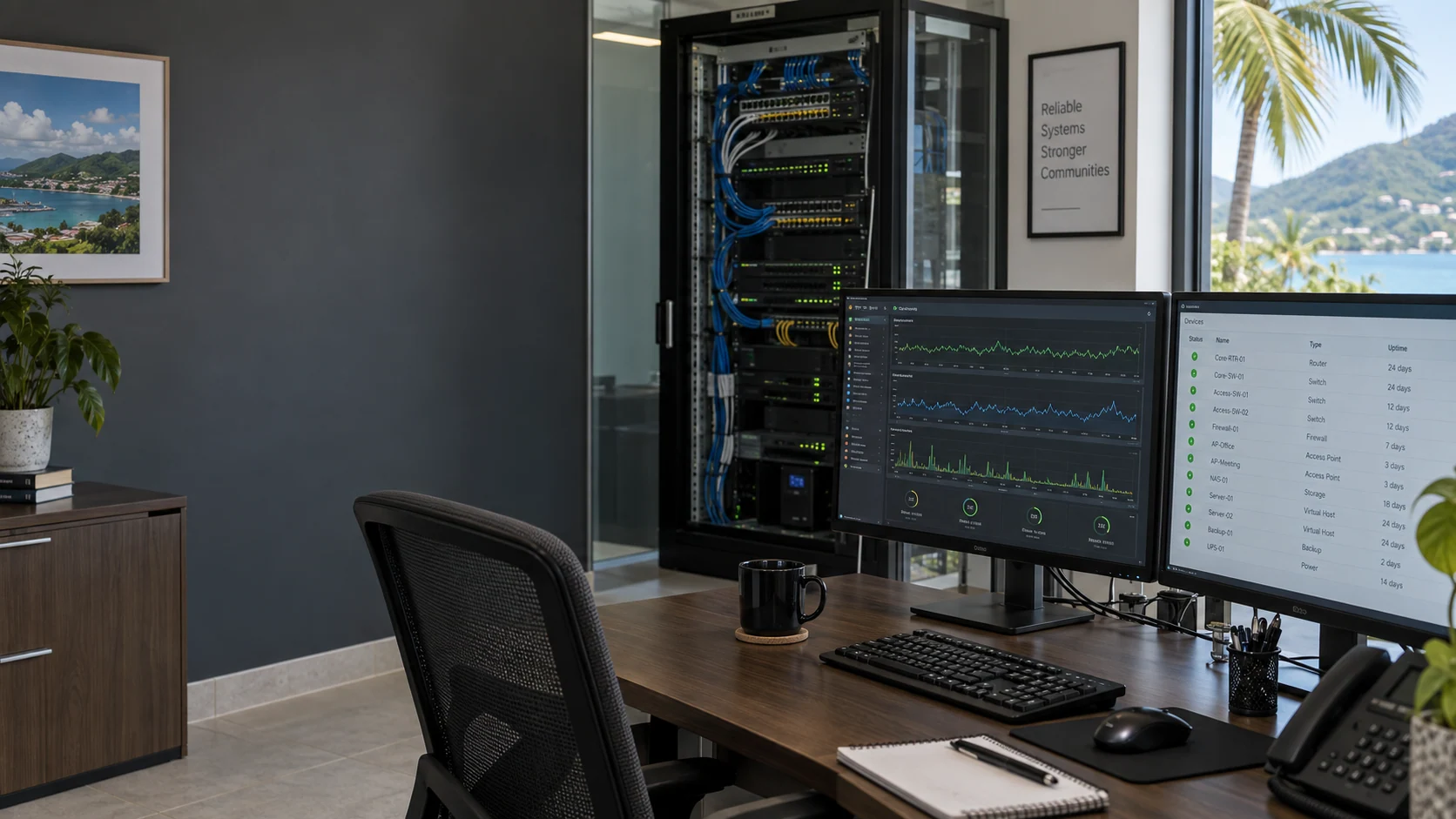
Illustrative IT monitoring workspace with device dashboards and network equipment

Proactive operations / MicroAntix BVI

Remote Monitoring & Management

Know what needs attention. Keep maintenance moving. A managed approach to the health, availability and supportability of your business technology.

Device visibilityActionable alertsControlled maintenanceOperational reporting

Remote monitoring & management in the BVI

From isolated alerts
to an accountable operating routine.

MicroAntix RMM brings monitoring, remote administration, asset information and preventive maintenance into one coordinated service. Instead of waiting for an employee to report a full disk, failing service or disconnected device, we use supported monitoring tools to identify conditions that need investigation.

We connect those findings to the business: which users are affected, what service is at risk and what action is appropriate. The goal is better visibility and fewer avoidable interruptions, supported by documented changes and a clear escalation path.

Automated checks can run continuously on enrolled, connected systems. Human response hours, priorities, supported devices and remediation authority are defined in your agreement.

Service coverage

A clear view of the systems behind your business.

Monitoring is configured around the equipment, applications and dependencies in your agreed scope.

Servers & critical services

Health checks for physical and virtual servers, service availability and resource use.

Review CPU and memory pressure, storage capacity, important services and relevant event logs. Alert thresholds are tuned to the role of each system so that a recurring warning is investigated in context.

Workstations & mobile users

Visibility into enrolled desktops and laptops, including devices used away from the office.

Track device check-ins, operating-system status, hardware details and supported application health. Remote devices need an internet connection and supported management software; mobile-device management can be included where agreed.

Network & internet availability

Understand whether a problem affects one endpoint, a network device or a wider connection.

Monitor supported routers, switches, firewalls and access points using available management interfaces. Review connectivity events and coordinate with network engineers or the internet provider when a fault extends beyond the endpoint.

Protection & backup status

Check that essential protection services are reporting as expected.

Review supported endpoint-protection status, update health and backup-job results. Investigate failed or missing reports and escalate to the appropriate security or recovery service. A successful backup status is not a substitute for a tested restore.

Inventory & lifecycle visibility

Maintain useful information for maintenance, replacements and budget planning.

Record supported hardware, operating systems, installed applications and device ownership. Use the inventory to flag unsupported systems, recurring performance constraints and upcoming replacement priorities.

Operational discipline

Detection is only the beginning.

The alert-to-action cycle

  1. 01

    Detect & validate

    Review the alert against device history, scheduled work and service dependencies. Check whether it represents a genuine incident or a threshold that needs adjustment.

  2. 02

    Prioritize & assign

    Assess business impact and urgency, identify the responsible technician and notify the agreed contacts when intervention or an approval is needed.

  3. 03

    Remediate & verify

    Use authorized remote access or controlled automation to investigate and resolve the problem. Confirm service health after the change and arrange on-site work when required.

  4. 04

    Document & improve

    Record the work, identify recurring issues and use the findings to refine monitoring, maintenance schedules and longer-term recommendations.

Planned maintenance

Updates with a change plan.

Operating-system and supported application patching is scheduled around your operational needs. We review applicability, maintenance windows, restart requirements and exceptions instead of treating every device identically.

  • Pilot or staged deployments where appropriate
  • Patch status, failures and deferred updates reviewed
  • Approval for disruptive changes and restarts
  • Documented exceptions for specialist or legacy systems

Secure remote administration.

Access is limited to the agreed systems and authorized personnel. Session controls, permissions and logging are configured to the capabilities of the selected tools and your security requirements.

Reporting that supports decisions.

Service reviews can cover device health, patch posture, repeated incidents, inventory changes and open risks. We translate technical findings into prioritized work and practical investment decisions.

Service onboarding

Establish the baseline. Then improve it.

A controlled introduction helps prevent monitoring noise and unapproved changes.

  1. 01

    Discover

    Review devices, ownership, existing tools, access requirements and business-critical applications.

  2. 02

    Agree

    Define coverage, alert recipients, response arrangements, maintenance windows and escalation authority.

  3. 03

    Enroll

    Deploy supported management components, establish a baseline and test alert and access workflows.

  4. 04

    Refine

    Review early findings, tune thresholds and agree a maintenance and improvement backlog.

Connected across the BVI

Proactive IT, grounded in local operations.

From professional offices and financial-services teams to hotels, clinics and multi-site businesses, monitoring must reflect the way the organization works. We account for connectivity interruptions, power protection, remote staff and hurricane-readiness planning when defining operational priorities.

We support organizations in Road Town and across Tortola, Virgin Gorda, Anegada, Jost Van Dyke and other British Virgin Islands locations. Remote access, site visits, transport and maintenance windows are coordinated around each engagement.

TortolaVirgin GordaAnegadaJost Van Dyke

Common questions

Understand your RMM service.

Discuss your environment with our BVI team. We will confirm the scope, responsibilities and support arrangements before work begins.

Is RMM the same as a help desk?

No. RMM focuses on monitored systems, maintenance and remote administration. A help desk handles requests from users. The services work together, but their coverage and response arrangements are agreed separately or within a combined managed IT plan.

Does continuous monitoring mean immediate support at any hour?

Not automatically. Automated monitoring can run around the clock while devices are connected. Technician availability, after-hours escalation and response targets depend on the support agreement. We make those arrangements explicit during onboarding.

Can you monitor the equipment we already own?

We first review the operating systems, hardware, licensing and management interfaces. Supported equipment can usually be enrolled; unsupported or end-of-life devices may need alternative checks, remediation or replacement.

Will maintenance interrupt our staff?

Some updates and repairs require a restart or service interruption. We agree maintenance windows and approvals, then document exceptions for systems that cannot follow the standard schedule.

Does RMM replace cybersecurity or disaster recovery?

No. RMM contributes device visibility, patching and operational checks. Threat detection, incident response, backup design and recovery testing require their own scope and controls. We can coordinate those related services.

Start a conversation

Make proactive maintenance part of everyday operations.

Tell us about your devices, sites and critical systems. We will define a monitoring scope that fits your organization.