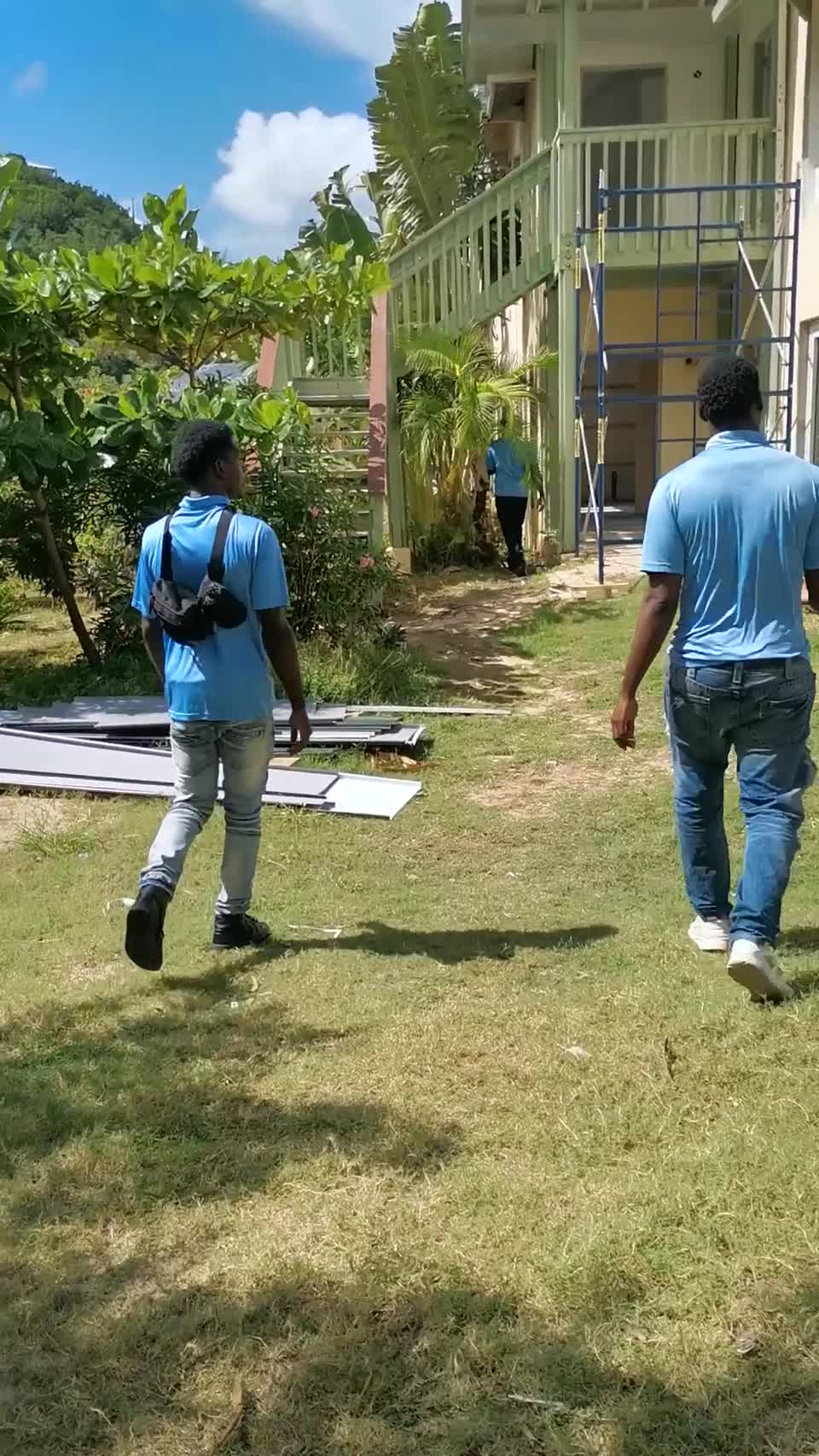
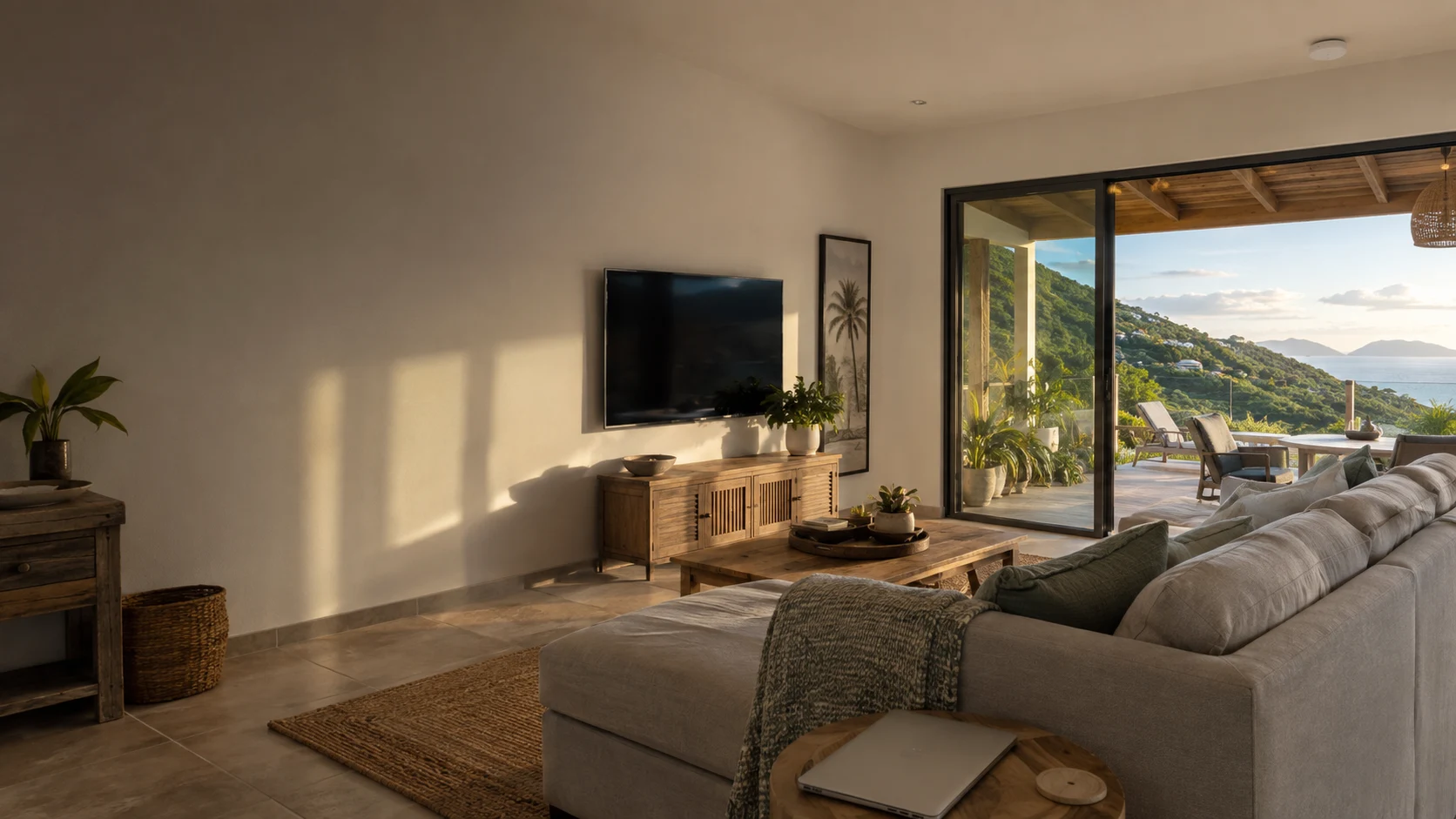
Caribbean living room opening onto a veranda, with a discreet ceiling-mounted Wi-Fi access point

MicroAntix / Residential connectivity

Whole Home Wi-Fi
in the British Virgin Islands

Better coverage. One coordinated network.

From the upstairs bedroom to the veranda, we design, install and support Wi-Fi around your home, your property and the way you connect.

Wi-Fi dead zones are a design problem

Your connection should reach
the places you use.

Does your Wi-Fi work near the router but struggle in bedrooms, on another floor or outside? Thick walls, poorly positioned equipment and disconnected extenders can leave parts of a home frustratingly out of reach.

MicroAntix builds a unified Wi-Fi system for residences across the BVI. We bring access points, network configuration and the supporting infrastructure together, with a coverage plan based on your property rather than a one-size-fits-all router.

Designed around your property

Every space has different demands.

A practical design considers where you connect, what you do online and the route that connects each access point to the network.

Coverage that follows the way you live.

Bedrooms, studies and upper floors should be part of the network plan, not an afterthought. We assess walls, floor slabs and the location of your internet connection, then position access points around the rooms that need service.

Living & entertainment

Plan capacity for televisions, streaming, gaming and everyday browsing without relying on a single router in a distant room.

Bedrooms & home offices

Address weak upstairs coverage and assess the stability needed for video meetings, remote work and study.

Moving between rooms

Configure a consistent home network name and compatible roaming features, then test with your devices. The device ultimately decides when to change access points.

Take the network beyond the front door.

Verandas, gardens, pool decks and detached rooms need their own assessment. We choose suitable outdoor access points, plan mounting positions and account for the path back to the main network.

Verandas, gardens & pools

Specify outdoor-rated equipment and suitable placement, considering exposure, vegetation, obstructions and the areas you actually use.

Guest houses & outbuildings

Assess Ethernet, fiber or a dedicated point-to-point wireless link where distance, safe cable routes and line of sight allow.

Coastal conditions

Plan cable protection, weather-resistant entries, corrosion exposure and appropriate surge protection. Outdoor equipment is not immune to storms or power events.

One coordinated system. Sensible separation.

A unified system does not mean every device should share the same access. We organize household, visitor and smart-device connections around the capabilities of the selected gateway, switches and access points.

Private home network

Keep trusted computers, phones and shared household resources on an appropriately protected network with clear administrative ownership.

Guest access

Create a separate visitor network and configure access restrictions so guests can get online without unnecessary access to private devices.

Smart-home connectivity

Review cameras, speakers, doorbells and other connected equipment, including 2.4 GHz compatibility and any communication needed between networks.

What MicroAntix provides

A complete service, not just more equipment.

Start with an existing network that needs improvement, a renovation or a new home. We scope the work around the result you need.

Coverage survey & diagnosis

We identify where connections drop, compare Wi-Fi performance with the incoming internet connection and inspect the current router, extenders and cabling. Floor plans, building materials, neighboring networks and the number of active devices all inform the recommendation.
Unified Wi-Fi design

Access-point locations, network capacity, channels and transmit power are planned together. We select one compatible management platform for the Wi-Fi system instead of treating unrelated repeaters as a coordinated network. Equipment and coverage areas are documented in the proposal.

Cabling, switching & installation

We install and configure the agreed access points, gateway, controller and Power over Ethernet equipment. Where needed, structured cabling, labeled outlets and protected cable routes provide a dependable backbone, with installation access and any building work agreed beforehand.

Configuration & optimization

We configure network names, authentication, guest access and compatible roaming settings. Channel selection and radio power are tuned to the property, balancing reach with interference. Older devices and smart-home equipment are checked before advanced features are enabled.

Testing & practical handover

We walk through the agreed coverage areas and test signal quality, connectivity and practical use with representative devices. Handover includes access details, an equipment record and an explanation of how to reach support. Any remaining limitations are identified.

Maintenance & ongoing support

MicroAntix can provide troubleshooting, configuration backups, firmware maintenance and remote administration under an agreed support arrangement. We review changes such as a new home office, an extension or additional devices and recommend upgrades when they are justified.

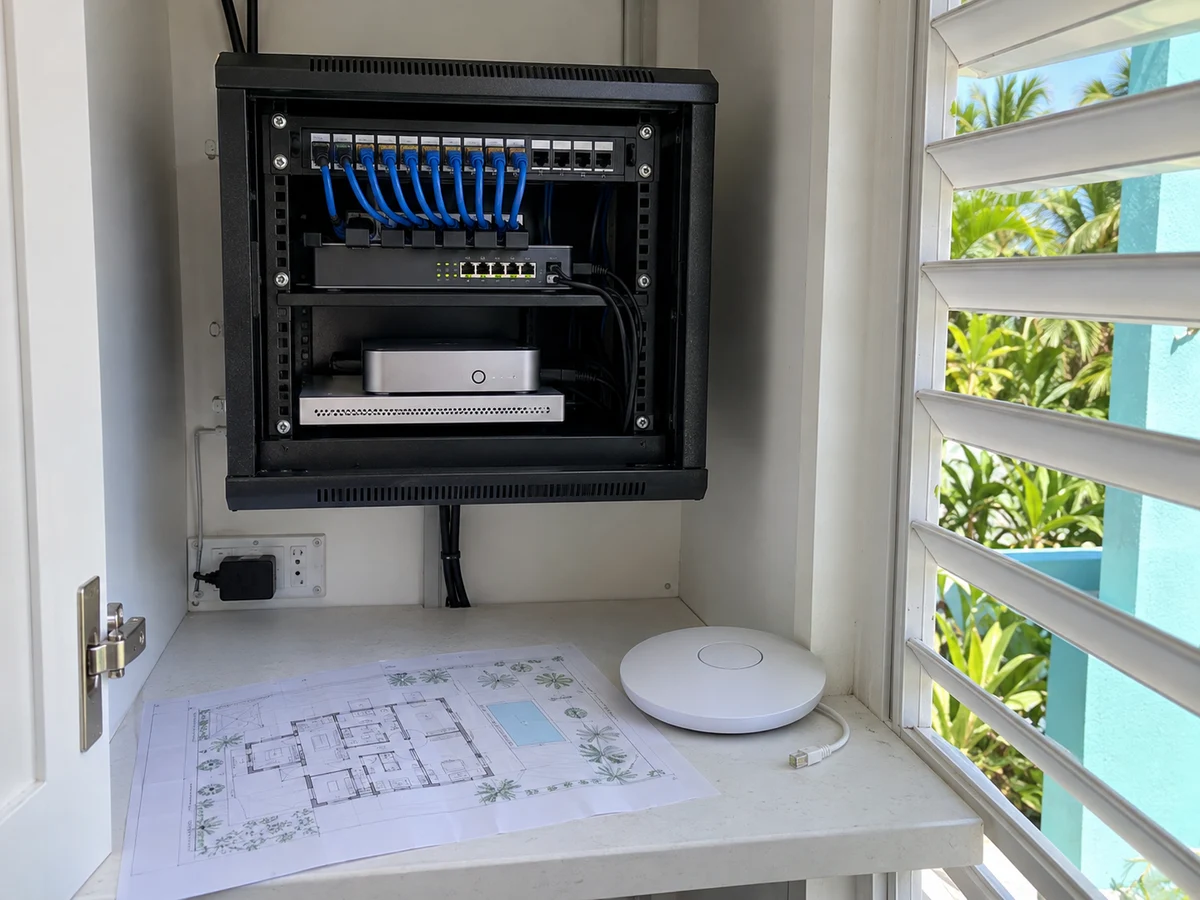
Illustrative compact home network cabinet with patch panel, switch, router and Wi-Fi access point
A tidy network foundation for a connected home. Images are illustrative; equipment is selected for your property.

The connection behind the coverage

Wired where practical.
Wireless where appropriate.

Adding an access point only helps when it has a reliable connection back to the rest of the system. We plan this backbone alongside the coverage.

Wired access points
Ethernet connects each access point back to the switch, often supplying power over the same cable. This is our preferred approach where sensible cable routes are available, particularly for busy rooms and multi-floor homes.
Carefully placed mesh
Compatible wireless mesh links can reach areas where cabling is impractical. Nodes need power and a strong upstream signal, not placement inside an existing dead zone. Distance, interference and wireless hops affect usable capacity.
Larger properties & separate buildings
We assess distance, ground routes and line of sight before specifying building-to-building connections. Fiber or a purpose-designed wireless bridge may be more appropriate than extending a chain of indoor mesh devices.

Wi-Fi improvements address your local network. Internet speed and availability still depend on your provider, service plan, equipment and operating conditions.

Technology selected with purpose

The right platform for your home.

We match features, management, budget and product lifecycle to the installation. These platforms are alternatives, not one interchangeable mesh system.

Unified network management

Ubiquiti UniFi

A coordinated approach to access points, gateways and switching. MicroAntix can design indoor and outdoor coverage with centralized administration and network separation appropriate to the chosen equipment.

We select suitable access-point models and controller arrangements, using wired connections where possible and compatible wireless meshing where justified.

Explore UniFi Wi-Fi

Flexible managed connectivity

TP-Link Omada

Omada brings compatible access points, gateways and switches into a managed network. Indoor and outdoor options allow the design to address different parts of a residence or property.

Controller requirements, mesh support and roaming features are checked against the selected models and firmware. Omada is distinct from TP-Link Deco and other consumer mesh ranges.

Explore Omada connectivity

Existing systems & lifecycle planning

Cisco Meraki Go

For homes already using Meraki Go, we assess configuration, coverage and the condition of installed equipment, then advise on practical support and an appropriate transition plan.

Cisco has announced end-of-sale and end-of-support dates for Meraki Go products. New investment is reviewed against the exact model’s lifecycle, availability and support position.

Check Cisco lifecycle information

Features depend on hardware, firmware, client devices and configuration. Platform selection does not imply that MicroAntix holds a particular vendor certification or partnership.

From weak signal to a planned system

A clear installation process.

Defined coverage areas, a documented scope and practical testing keep the work focused on your home.

  1. 01

    Tell us where it fails

    Share your location, the rooms or outdoor areas affected, your internet provider and any existing network equipment. A floor plan or a few property photos can help us prepare.

  2. 02

    Survey & agree the design

    We assess the property and define the coverage areas, equipment, cabling, installation work and support options. You receive a scoped proposal before deployment.

  3. 03

    Install & bring it together

    We mount equipment, complete the agreed network connections and configure the system. Any cutover from existing Wi-Fi is coordinated to manage disruption.

  4. 04

    Test, hand over & support

    We check the agreed areas, document the installation and explain day-to-day access. Ongoing maintenance and future expansion follow your selected service arrangement.

Clear expectations from the start

A proposal built around your property.

Coverage needs differ between an apartment, a concrete multi-story home and a property with separate buildings. We define what will be covered and how the work will be delivered.

Discuss your home network
  • Equipment & installation scope

    Access-point locations, cable runs, mounting, power requirements and any related building or electrical work are identified before installation.

  • Access, security & ownership

    Administrative accounts, household passwords and remote-support permissions are agreed. Guest isolation and smart-device access are configured to suit the equipment.

  • Costs & continuing care

    Hardware, labor, any controller subscriptions, inter-island logistics and optional maintenance are separated in the proposal. Response arrangements and support hours are confirmed, not assumed.

Common questions

Good Wi-Fi begins
with the right questions.

Tell us where coverage falls short. We will help separate an internet-service issue from a problem inside your home network.

284 494 3962
Can you fix Wi-Fi that works downstairs but not upstairs?

Yes. We assess the walls, floor construction and existing equipment, then design coverage for the affected areas. Additional access points with suitable connections back to the network are often more effective than simply increasing the power of one router. The number and locations are confirmed after assessment.

Is whole home Wi-Fi the same as faster internet?

No. Wi-Fi connects devices within your property; your internet provider supplies the external connection. Better Wi-Fi can remove local bottlenecks, but it cannot make your provider connection faster than the service can deliver. We check both so the recommendation addresses the actual cause.

Do I need new cables, or can you use wireless mesh?

We prefer wired connections to access points where practical, because they provide a dedicated path back to the network. Compatible wireless mesh can help where cabling is impractical, but each node still needs power and a strong link to the rest of the system. We assess the trade-offs before choosing wired, wireless or a hybrid design.

Can you cover a garden, pool area or separate guest house?

We can assess these areas as part of a property-wide design. Outdoor-rated access points and suitable cable routes may be needed. Separate buildings may call for fiber or a dedicated wireless bridge. Coverage depends on distance, obstructions, mounting access, available power and the agreed installation scope.

Will I have one Wi-Fi name throughout the property?

We can configure a consistent network name across compatible access points for normal household use, with separate names for guests or smart devices where appropriate. Roaming performance also depends on the client device, signal conditions and supported features; uninterrupted calls cannot be guaranteed for every device.

Do UniFi, Omada and Meraki Go form one shared mesh?

No. These are different management ecosystems. We select a suitable platform for the coordinated wireless system and check interoperability with other wired equipment separately. For existing Cisco Meraki Go installations, we assess the current devices, support lifecycle and upgrade path before recommending additional investment.

Can you work with my existing internet provider or Starlink?

Usually, subject to the router, service configuration and equipment compatibility. We assess how to connect the home network to your existing service, including routing and any bridge or bypass requirements. Internet subscriptions, provider faults and satellite-service limitations remain separate from the Wi-Fi installation.

What does a whole home Wi-Fi installation cost?

Pricing depends on the property size and construction, coverage areas, access-point count, cabling, installation access and support requirements. MicroAntix prepares a site-specific proposal rather than quoting one package for every home. Ask us to identify equipment, labor, any subscriptions, inter-island logistics and optional maintenance separately.

Do you support homes throughout the British Virgin Islands?

MicroAntix serves residential enquiries across Tortola, Road Town, Virgin Gorda, Anegada, Jost Van Dyke and other BVI locations. Site visits, installation scheduling, transport and ongoing support arrangements are confirmed for the property.

Whole home Wi-Fi across the BVI

Let’s connect the rest of your home.

Tell us your island, property type and the places your Wi-Fi cannot reach. We serve residential enquiries in Tortola, Road Town, Virgin Gorda, Anegada, Jost Van Dyke and other British Virgin Islands locations, with visits and installation logistics arranged for each property.